Hear notes as you write
Each note you type, click, tap or move sounds through its track, so a wrong fret is heard before it's read. Turn it off in Settings › Editing.
In Help →Mac · Windows · Web
Everything you do with a song, in one place.
Bring a song in from a Guitar Pro file, a PDF or a recording. Write it as tab, score and chords, hear it played, practise it at your own speed, and play it with your band. Stab is a sequencer whose lanes are strings: every note carries its fret.
Free to try, with no account: open the demos, and keep as many songs as you like, two tracks each.
Write it
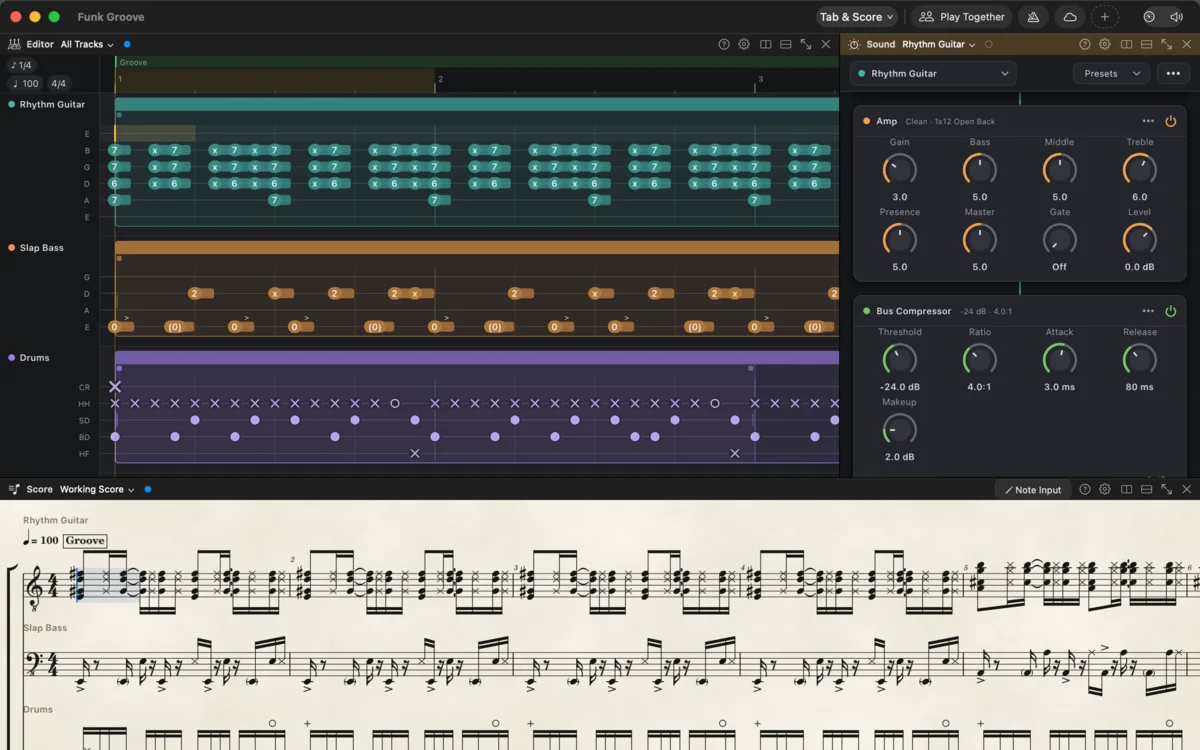
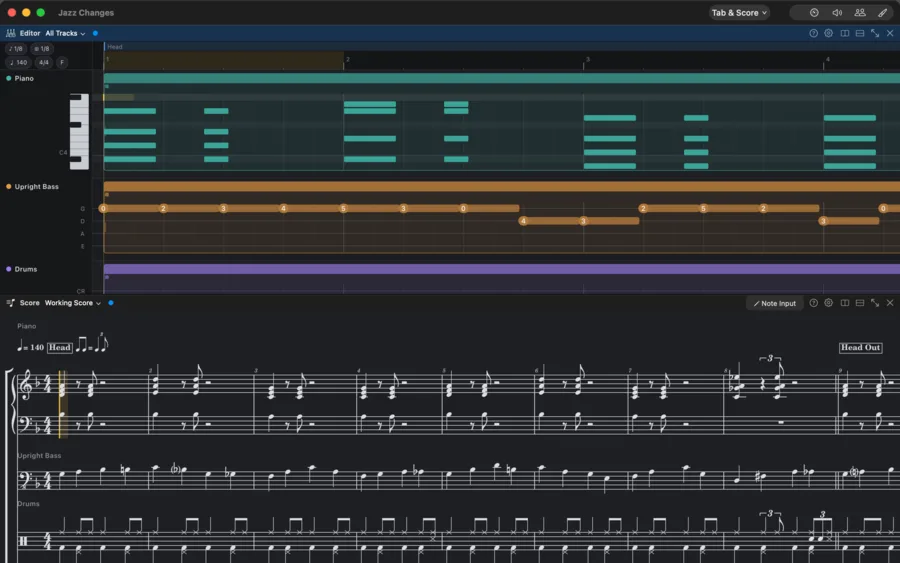
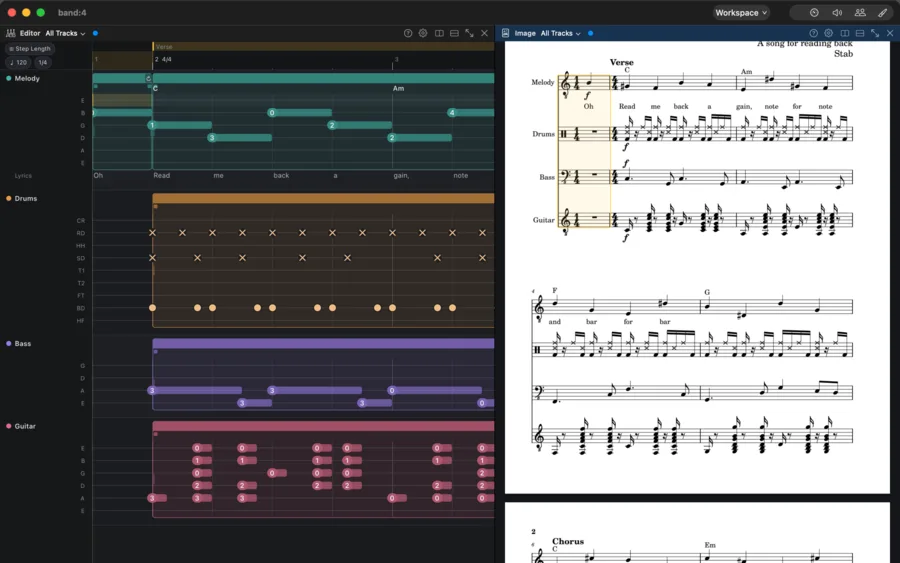
A track's strings are lanes, and each note sits on its string with its fret, centred on the beat: you read the fingering and the timing at once. Beside it, the same notes are engraved as a score, and the chords as a chart. They're views of one song, linked by time and caret, so nothing drifts.
Bring it in
Open a PDF exported from a notation program and Read Music turns it into a song you can play and edit: tab, notation and drums, ties, repeats and tuplets, with the lyrics and chord symbols printed on it.
Hear it, write it
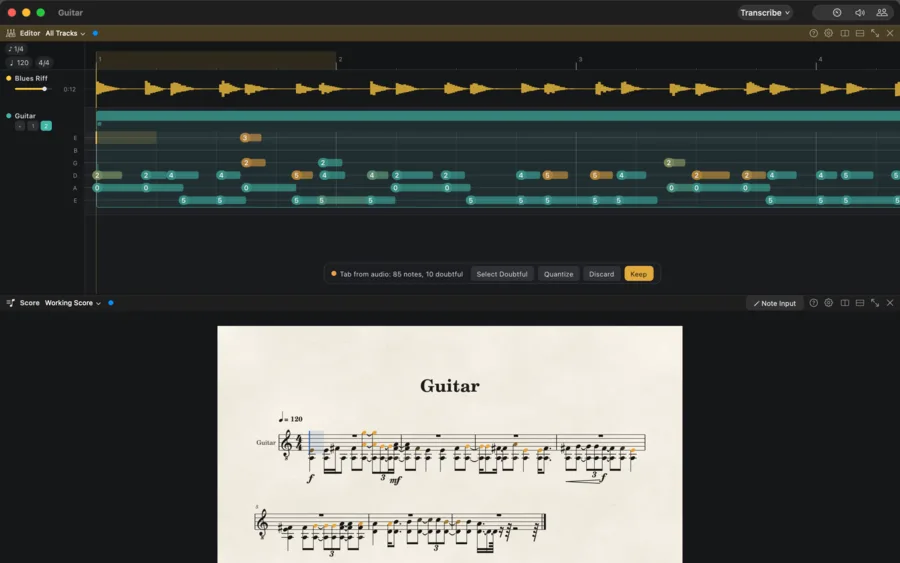
Bring in a recording of a riff or a solo, and Write Tab from Audio writes the notes it hears into a guitar, bass or keys track, fretted for its tuning and capo. It's a first draft: the notes it's least sure of are marked for you to check against the take.
It runs on your device, in the apps on Mac and Windows; not in the browser.
Chords and a band
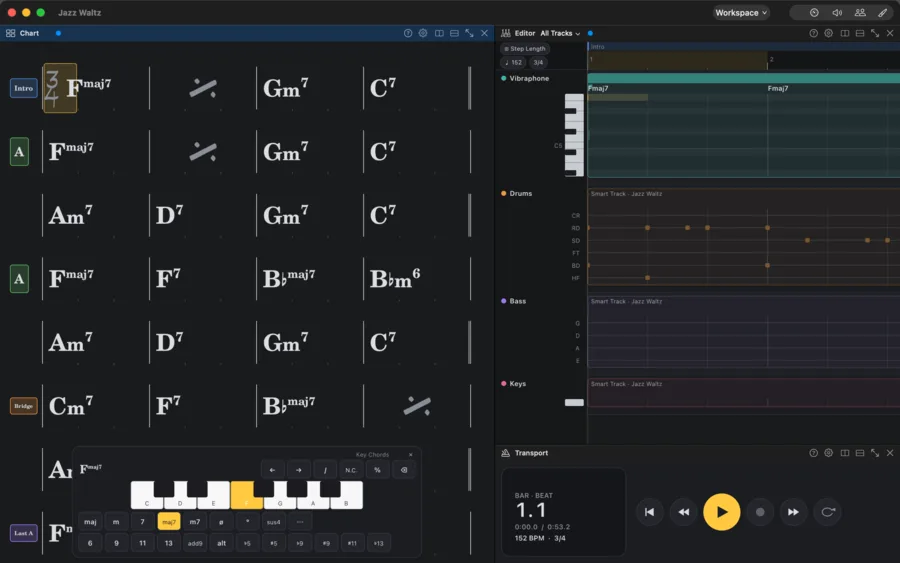
The Chart lays the song's chords out in bars, sections boxed, repeats and endings folded, a box per beat. Type a chord a word at a time, or pick it from the palette and hear it; bring charts in from iReal Pro.
Practise it
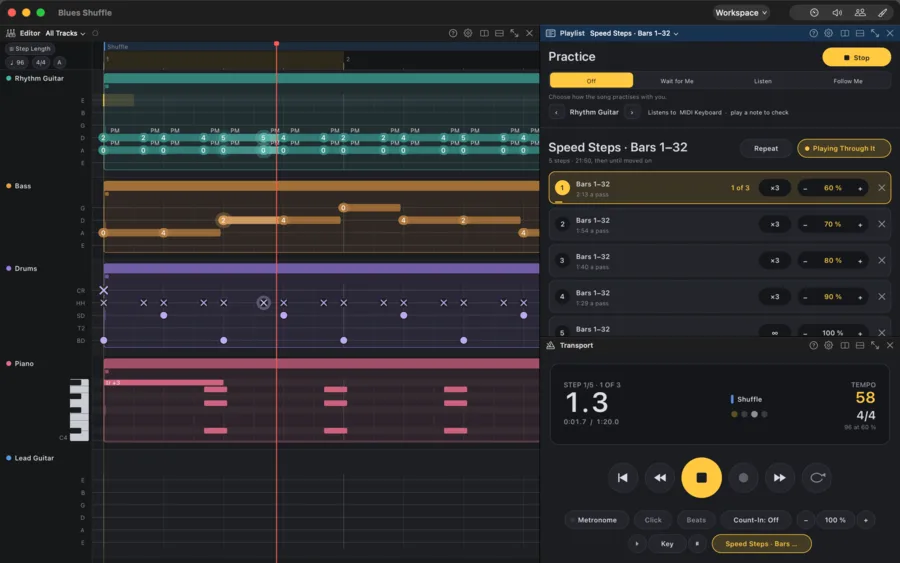
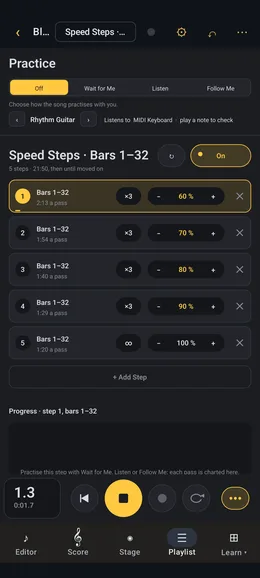
Slow a passage down, loop it, play it a semitone higher. Then let Stab hear you: by a MIDI instrument, or your guitar through the microphone or an audio interface in the apps.
See it played
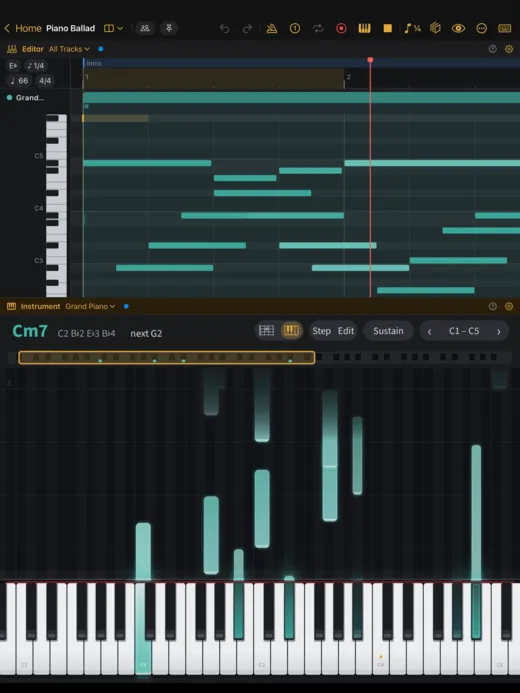
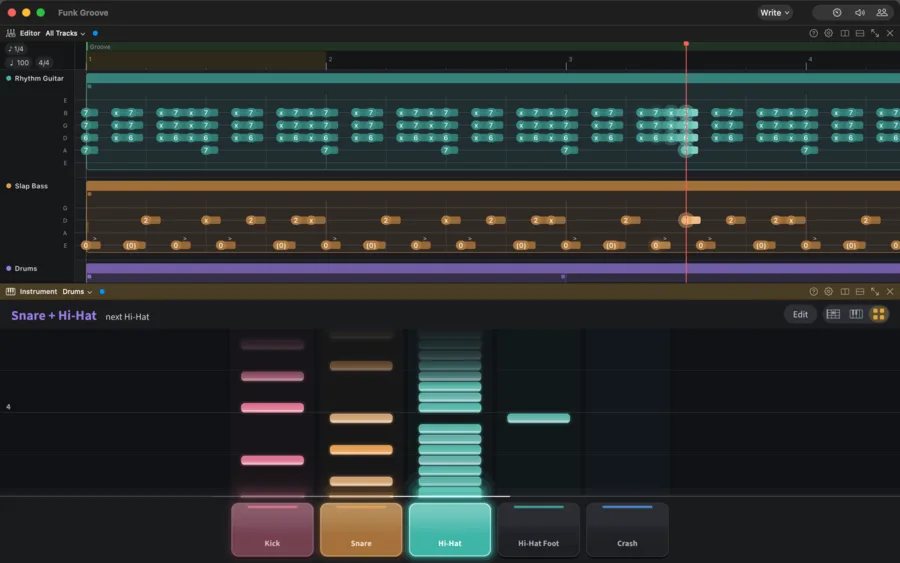
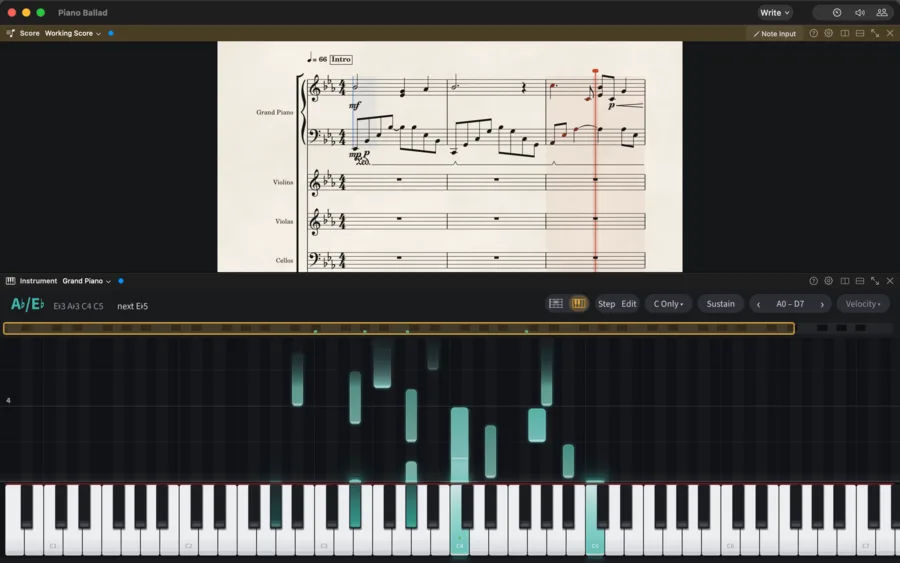
The Instrument pane shows a track as you'd play it: a guitar on a wooden neck at the frets the tab writes, a piano on its keys, a drum part on pads. Turn on Falling Notes and the song comes down onto the keys or the pads, each note landing as it's heard.
On stage
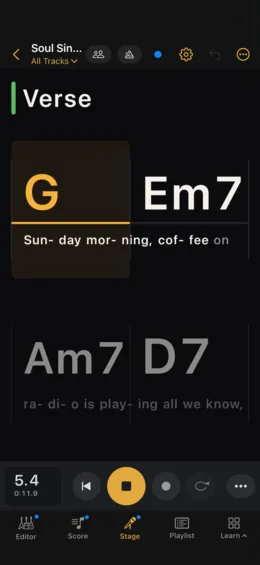
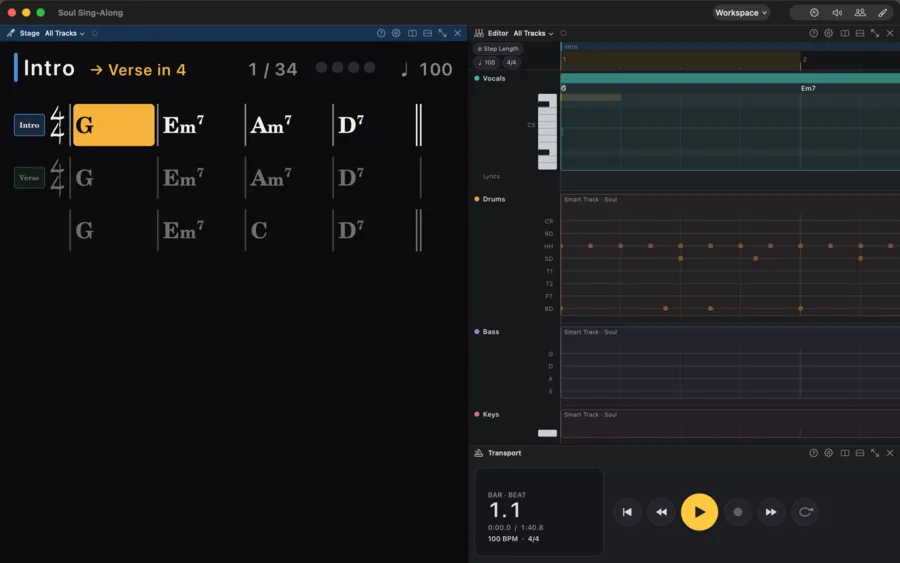
The Stage shows the song large enough to read from a music stand: lines of chords and lyrics, notation turning over like a karaoke screen, a Real Book chord chart, the next chord with its diagram, or the lyrics as a teleprompter. Presets for the band, the singer and a reader.
Play it together
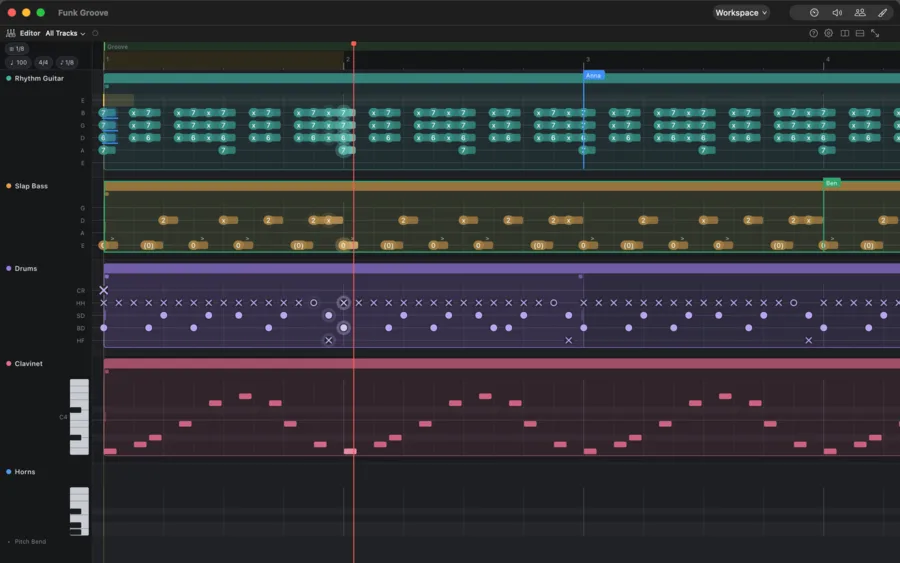
Host a session and your bandmates join with a code. Everyone edits the same song live, each with their own undo and their cursor on screen, in the rehearsal room or across the internet, and you can record together, each on your own instrument. Share a watch link and others follow along in their browser.
What travels between you is end-to-end encrypted; playing together on a code needs no account.
Hear it
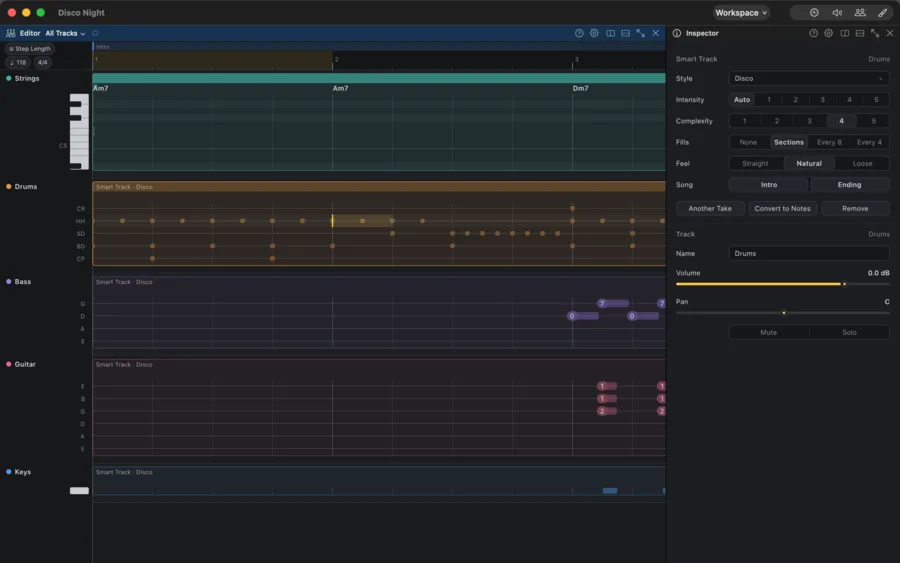
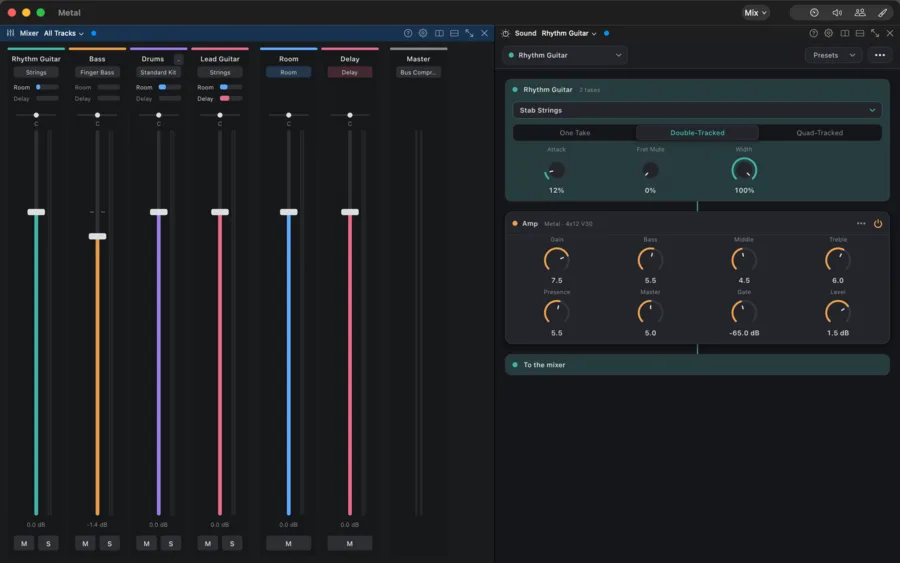
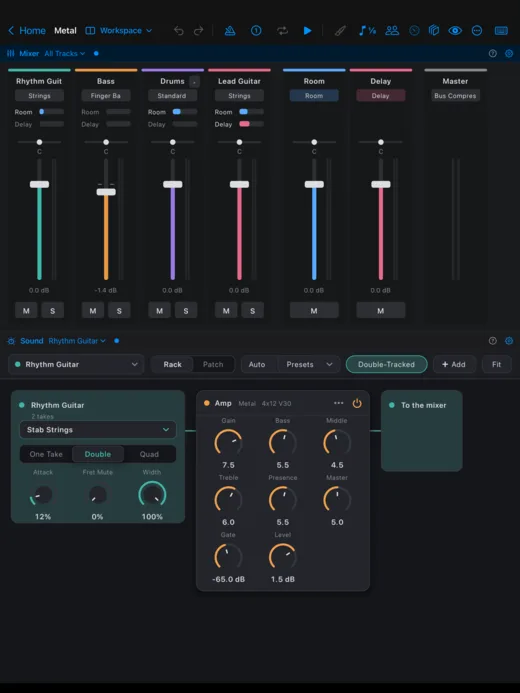
Stab Strings models each string: bends follow the curve you draw, slides glide, palm mutes choke and the whammy bar dips. Send it through an amp with miked cabinets, or your own impulse responses. Drums play a sampled kit, each piece on its own lane; keys play a SoundFont or Stab's own synth.
Your own AI app
Free, Connect an AI app (Settings › Editing) lets an AI app on your computer read the song in front of you and change it. Each change goes into the song’s history, to hear, compare and take back. It connects on this computer only, never over the network.
And the rest of the bench
Each note you type, click, tap or move sounds through its track, so a wrong fret is heard before it's read. Turn it off in Settings › Editing.
In Help →Bring in the song or a video file, pin beats to moments in it, rubato and all, and loop four bars at half speed without changing the pitch. In the apps, Find the Beats places the pins and Find the Chords drafts the chords; you hear the draft against the take and correct it.
In Help →Audio and MIDI, from a microphone, an interface, a keyboard, an e-kit or a MIDI guitar, a string per channel. Loop and punch in; every pass is a take you comp. In the apps.
In Help →Songs are clips you move, trim and repeat. Link the choruses and fixing one fixes them all. Automation lanes draw volume, pan and controller curves; each note can carry its own.
In Help →Split the window into as many panes as you like: tab beside score, the chart over the Stage. Save the layout as a workspace, or start from one built for writing, practice or the mix.
In Help →Screen readers read the window: menus, buttons, the home, and each pane's caret and selection as a line (VoiceOver, Narrator, NVDA, JAWS). Notes one by one aren't read yet; Help says what is.
In Help →Your files
A song is a .stab file in a folder you choose: a ZIP of plain JSON. We test the Guitar Pro import against more than 1,300 real files: bends, slides, grace notes, trills, strokes and drum kits come through.
Every format, on every platform →
Open a Guitar Pro file in your browser →
Download
Built for each platform from one core written for real-time audio: the same songs, the same sound, the same tools. Songs move between them as files.
For this device
Direct download
A window per song, panes you split, tear off and dock, and every shortcut you'd reach for. Drawn with Metal; updates built in.
Stab-1.4.1.dmgdebace54e979efa2613fb9913d5469d60383ec2c761c21696d63cb6aab6ba3c4For this device
Direct download
The same songs and the same engine, drawn with Direct3D, with WASAPI audio.
Stab-Setup-1.4.1.exeac61a92d15e5fe4e1e13d516b5c95154cba575c4912699f34be3e8f56052c301For this device
app.stab.audio
The editor in a browser, on a phone, a tablet or a computer: your songs kept in the browser or a folder, joining a session. Nothing to install.
Price
Every tool in Stab, as many tracks as you like and every export whole, on your computers, offline: one licence, bought once. Or start free: as many songs as you like, two tracks each, in the apps and in the browser.
Prices in US dollars. Paddle, our reseller, shows your total in your currency, with your country’s tax, before you pay.
Free No payment
As many songs as you like, two tracks each; a few things wait for a licence. Any song opens to play, print and export, and the demos are yours to explore.
Try in your browserDesktop
Mac and Windows, direct
$69 at launch, then $89
Bought once: one licence, 2 machines, offline, no account needed.
Available in English and French. Stab has no accounts and collects no data: your songs are files on your device, with Guitar Pro, MusicXML and MIDI a click away. The details are in the privacy policy.
Who makes this
Stab is made by Gargant, an independent studio in France, shipping since 2011, with no investors and no acquisition. Gargant also makes Pyxen and Qwartz, for making games, and Smudjo, for painting together.
Open a song you know by heart, slow it down, and hear it played on the strings.